The MCP that understands your Godot project
Other MCPs give AI hands. GodotIQ gives it a brain.
38 tools · 24 free + 14 Pro · local-first
Your project files stay on your machine.
Built with GodotIQ
Playable proofs: games an AI agent built through GodotIQ, running right here in your browser.
A complete 3D platformer, built by an AI in under two hours
Marble Gauntlet is a two-level marble platformer in Godot 4.6 + Jolt Physics. No human hand-placed a node or wrote a line of gameplay code: an AI agent built, debugged and shipped it through GodotIQ. The game is the proof.
- Real RigidBody3D marble on Jolt Physics, rolling from friction alone
- Two hand-built levels, ~1,170 scene nodes between them
- About 31 reusable hazard prefabs: a capture-and-fire cannon, saws, bumpers, moving platforms
- Decoupled orbit camera, dynamic roll audio, GPU particle FX, all code-authored
- Built node-by-node by an AI through GodotIQ, verified live at runtime
20 GDScript files · 0 script errors · shipped to the browser through GodotIQ.
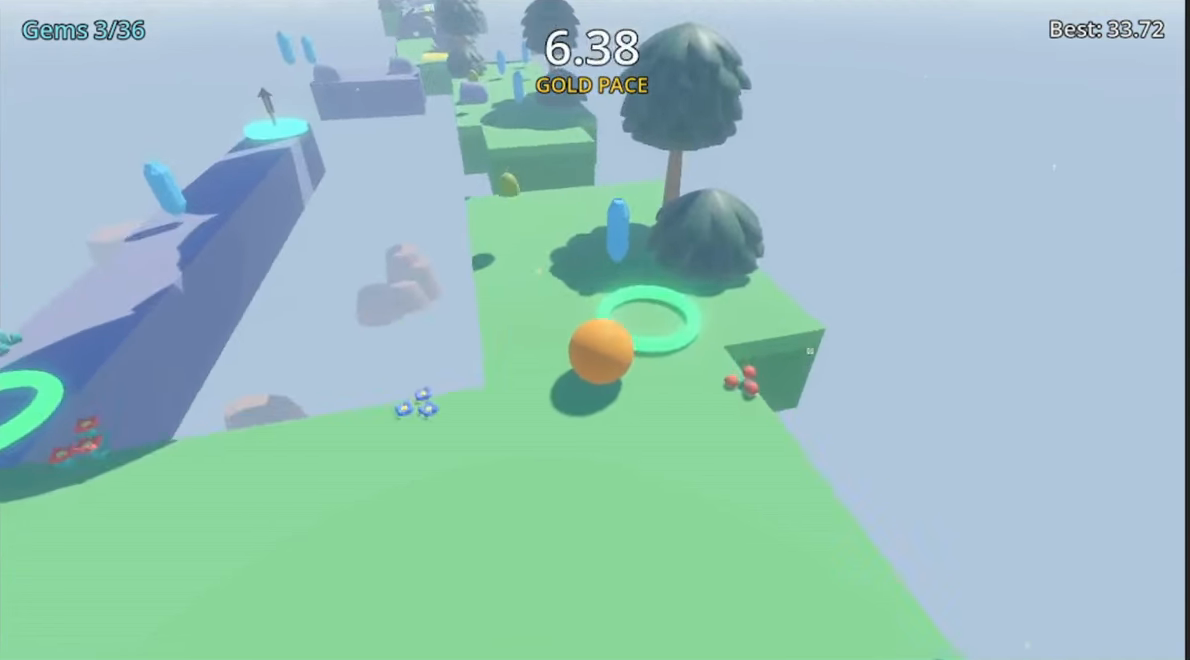
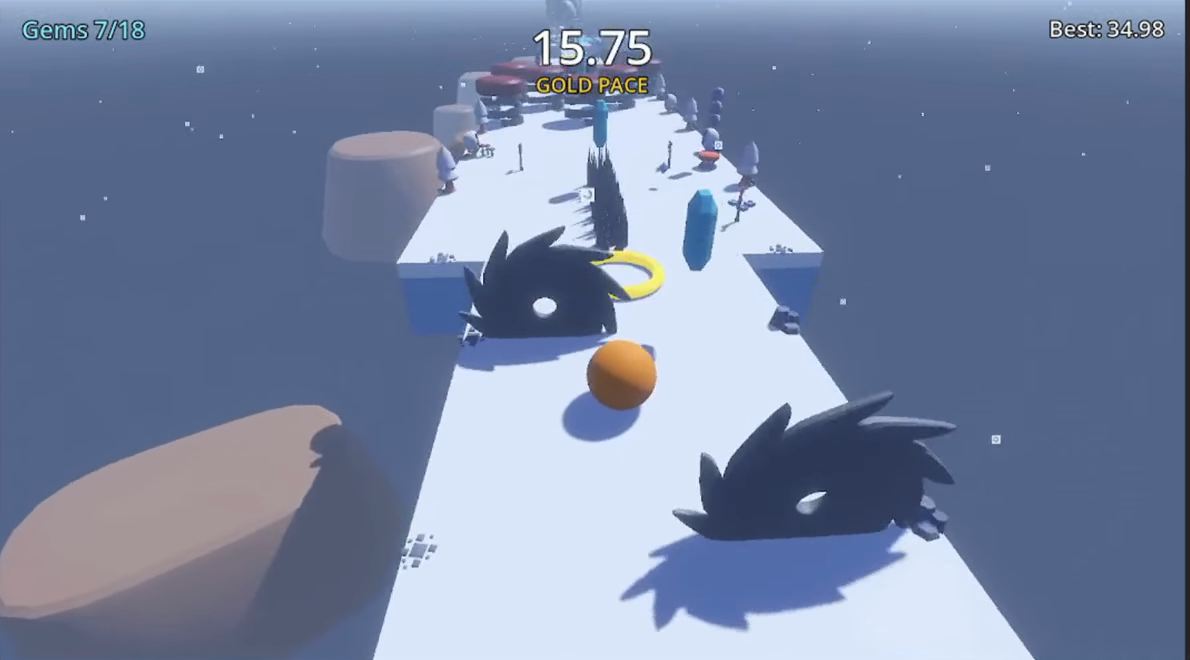
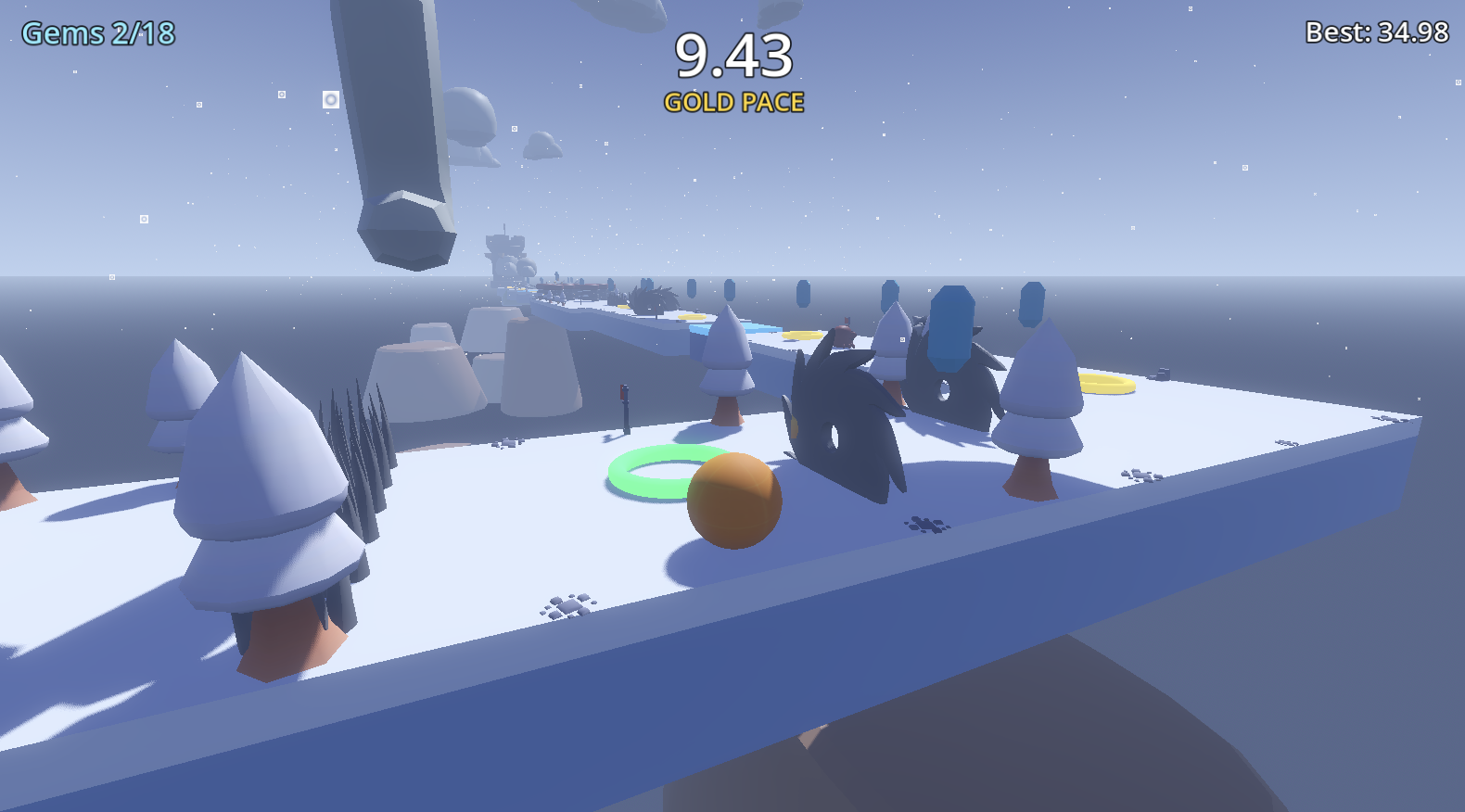
WASD to move. Mouse to look. Space to jump. F11 fullscreen. Escape to pause. Press Escape or the Exit button to close.
Built by an agent, in about an hour
A roughly one-hour experiment. An agent used GodotIQ to build a complete survivor-like — not me writing code by hand. If it looks rough, that's because rough was the goal: a snippet, not a product.
- Wave system and bosses
- Upgrade cards and meta progression
- Full audio and shaders
- Built by an agent via GodotIQ, not written by hand
- Graphic assets from free online packs
Visuals from free asset packs: the point is the systems, not the look.
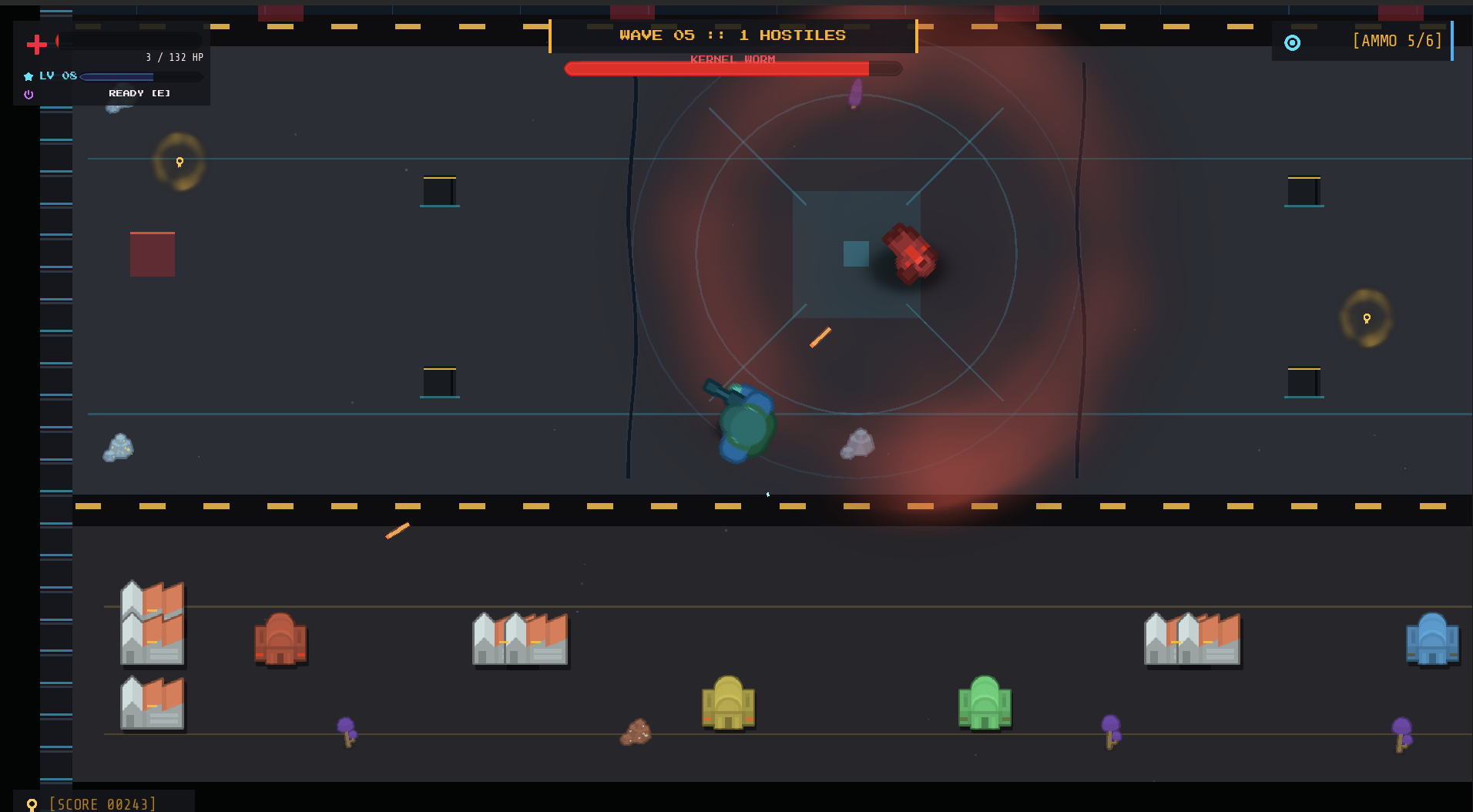
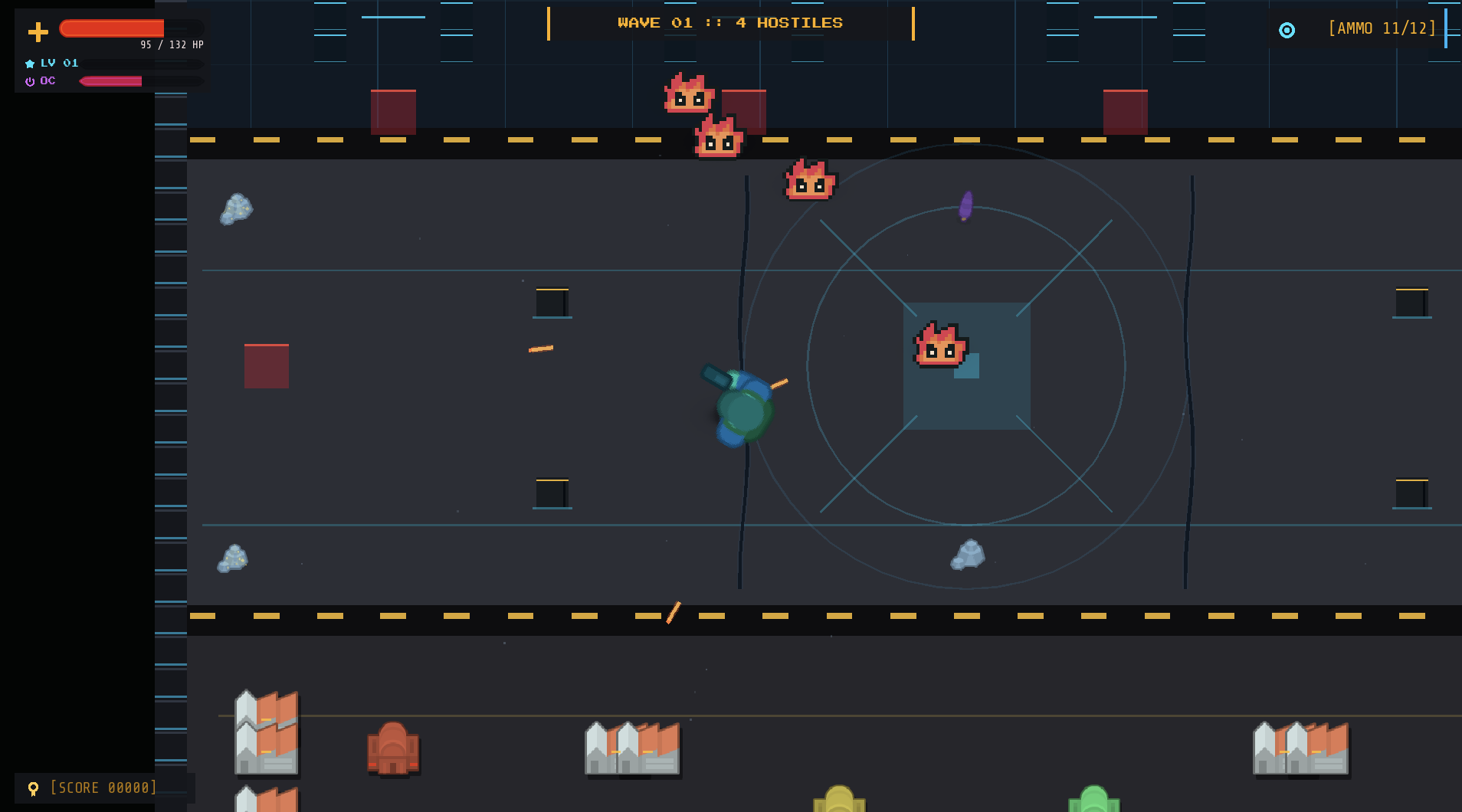
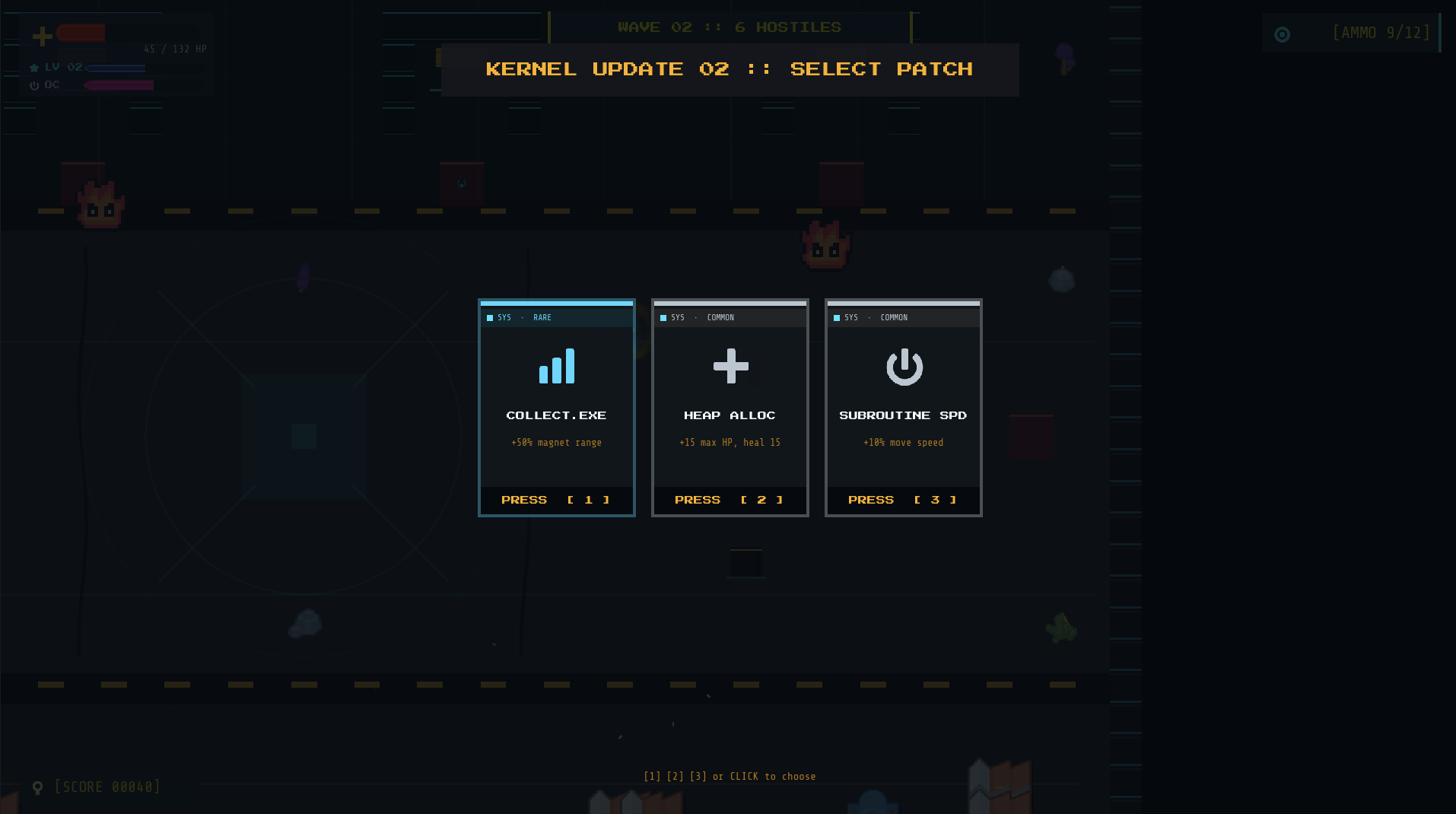
Arrow keys or WASD to move. Mouse to aim. Escape to exit. Press Escape or the Exit button to close.
Nine holes of minigolf, agent-built in a couple of hours
Par Nine is a nine-hole 3D minigolf course: click the ball, drag back, release to putt. An AI agent built the holes, the physics and the game flow through GodotIQ in a couple of hours — a quick demo, not a product.
- Nine named holes — "Portal Combat", "The Windmill" — across three lighting moods
- Drag-to-putt aiming with a dotted guide line and power meter
- Follow camera that frames every shot; right-drag to orbit
- Stroke limits, out-of-bounds penalties, hole-in-one banner, confetti FX
- Touch controls work too — playable on your phone
Kenney asset packs for the look; the course and code are agent-built.
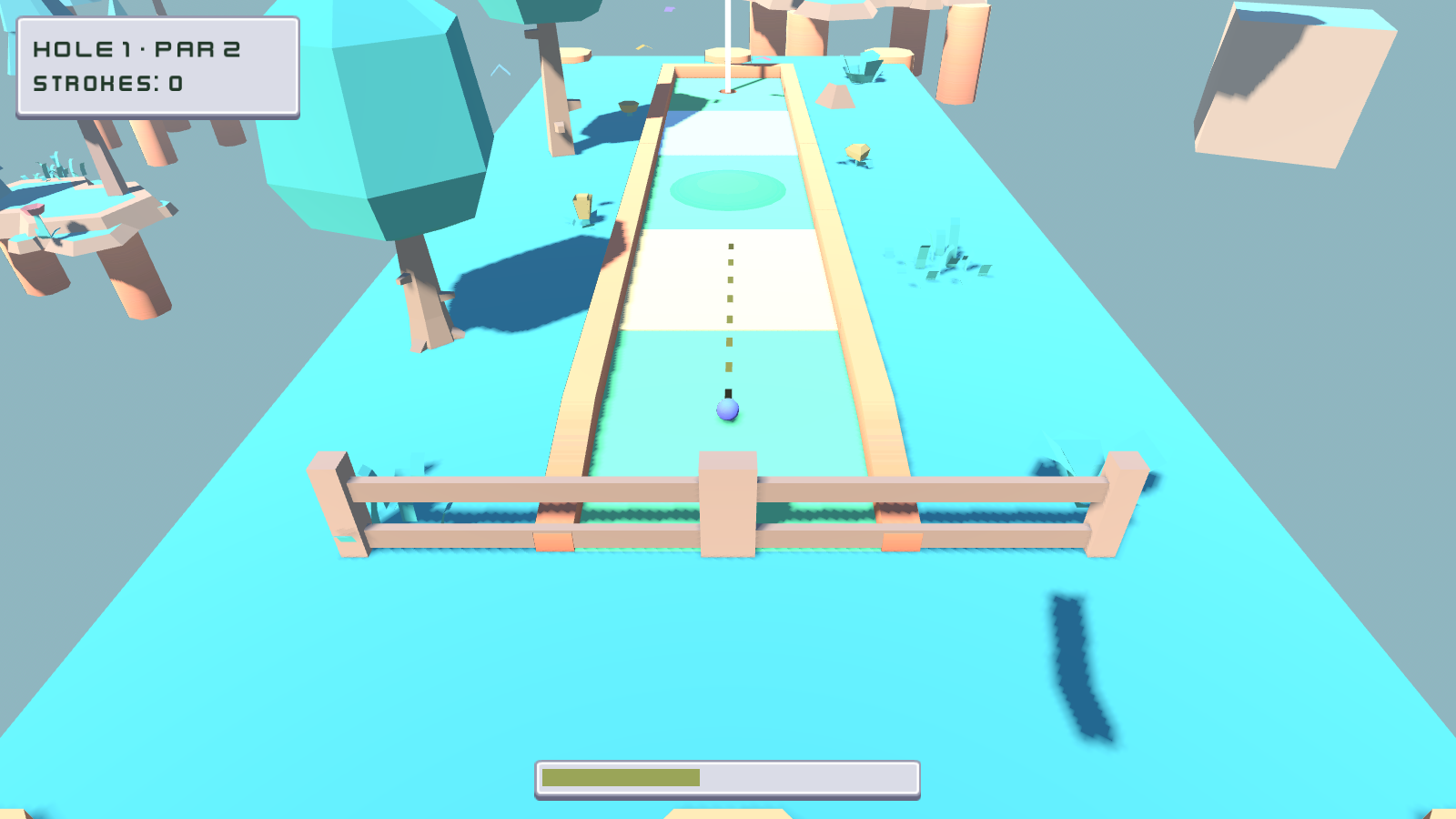
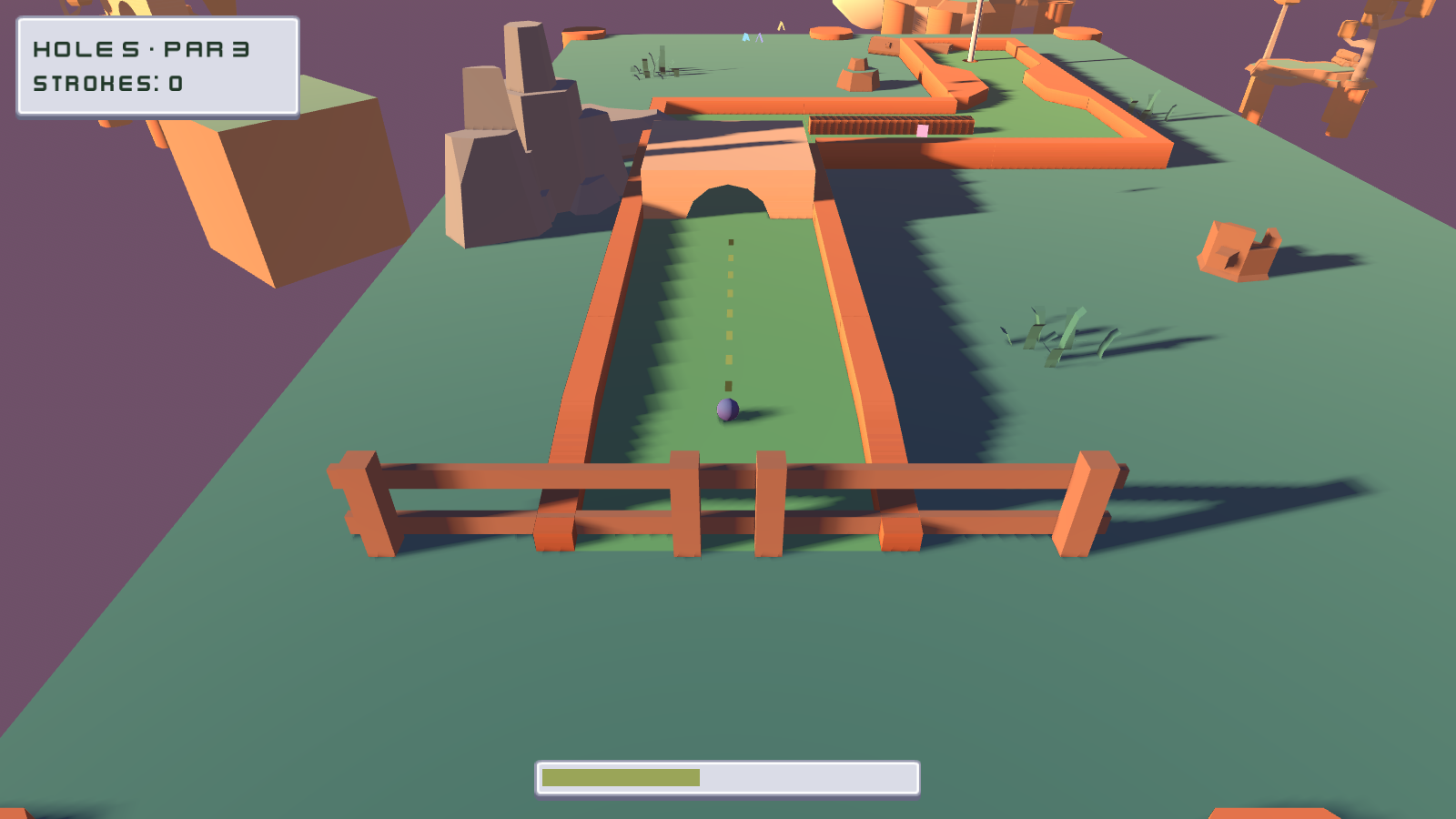
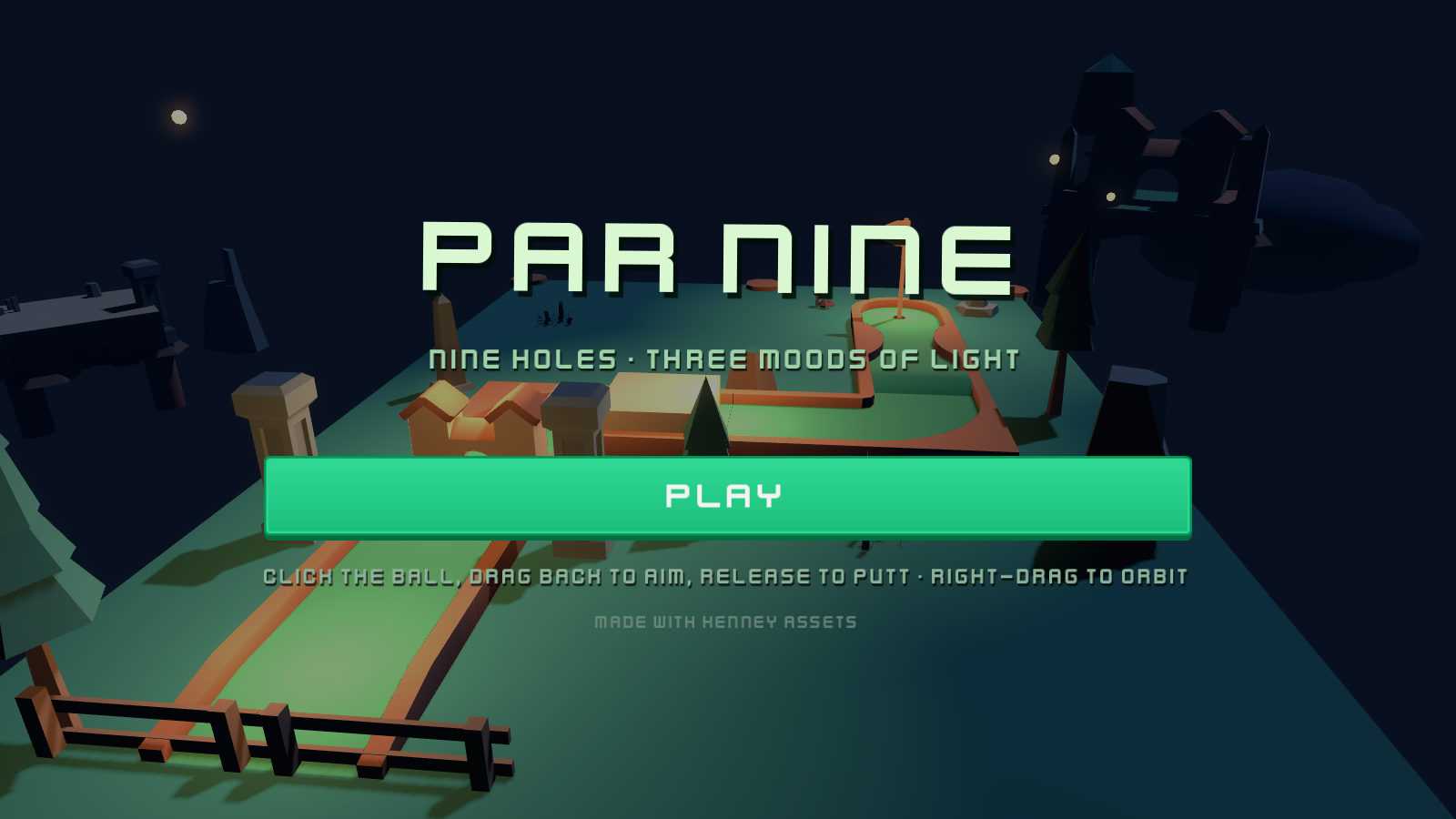
Click the ball, drag back to aim, release to putt. Right-drag to orbit the camera. On touch, drag from the ball to putt. Press Escape or the Exit button to close.
Why raw API access isn't enough
Three everyday tasks, before and after project intelligence.
Agent places object at (2,0,0). Result: inside a wall. 10 iterations to fix.
Agent calls godotiq_scene_map, knows walls, floors, navmesh. Validated placement, first try.
Agent edits a signal. 5 systems break silently.
Agent calls godotiq_impact_check, sees 18 dependents. Changes safely.
UI shows "Unknown". Agent greps for 30 minutes.
Agent calls godotiq_trace_flow, follows data from DB to manager to UI. Found.
What makes GodotIQ different
Spatial Intelligence
godotiq_scene_map, godotiq_placement, godotiq_spatial_audit
Knows WHERE things are
Code Understanding
godotiq_dependency_graph, godotiq_signal_map, godotiq_impact_check, godotiq_validate
Knows HOW things connect
Flow Tracing
godotiq_trace_flow
Follows the WHOLE chain
Visual Debugging
godotiq_camera, godotiq_screenshot (editor+game)
Sees what the player sees
Project Memory
godotiq_project_summary, godotiq_file_context
Survives context compaction
Token Optimization
detail: brief/normal/full
80% fewer tokens on routine ops
GodotIQ vs. The Rest
| Feature | GodotIQ | Raw API Wrappers | Basic MCPs | File-Only MCPs |
|---|---|---|---|---|
| Spatial intelligence | - | - | - | |
| Dependency analysis | - | - | - | |
| Signal flow tracing | - | - | - | |
| Convention validation | - | - | - | |
| Project memory | - | - | - | |
| UI mapping | - | - | - | |
| Token optimization | - | - | - | |
| Editor screenshots | - | - | ||
| Game screenshots | - | - | ||
| Run/stop game | ||||
| Edit nodes/scripts | ||||
| Works without addon | - | - | - | |
| Community & addon MIT | - | |||
| Automated tests | 1,804 | ? | 0 | 0 |
See full comparison
| Feature | GodotIQ | Raw API | Basic | File-Only |
|---|---|---|---|---|
| Spatial intelligence | - | - | - | |
| Dependency analysis | - | - | - | |
| Signal flow tracing | - | - | - | |
| Convention validation | - | - | - | |
| Project memory | - | - | - | |
| UI mapping | - | - | - | |
| Token optimization | - | - | - | |
| Editor screenshots | - | - | ||
| Game screenshots | - | - | ||
| Run/stop game | ||||
| Edit nodes/scripts | ||||
| Works without addon | - | - | - | |
| Community & addon MIT | - | |||
| Automated tests | 1,804 | ? | 0 | 0 |
Get started in 3 minutes
Install GodotIQ
One package, zero config. MCP clients use uvx (auto-installs). For manual or CI setups: pip install godotiq.
# MCP clients (recommended)
uvx godotiq

# Manual / CI
pip install godotiqConfigure your MCP client
Add GodotIQ to your AI assistant. Every client boils down to the same server entry.
"godotiq": {
  "command": "uvx",
  "args": ["godotiq"]
}Start building
Ask your AI assistant anything about your Godot project.
"Analyze my project"
"Where should I put this printer?"
"What breaks if I change this signal?"
38 Tools, 11 Categories
From spatial analysis to runtime bridge, every tool your AI needs to understand and control Godot.
Bridge 20 tools ▶
godotiq_editor_context
addon
Call FIRST alongside project_summary. Returns editor state: open scenes, selected nodes, is game running, project path.
> godotiq_editor_context
  Scene: main.tscn, 3 selected, game: stopped
godotiq_scene_tree
addon
Live editor scene tree with actual state: transforms, scripts, groups, visibility. Unlike scene_map (reads .tscn from disk), this reads the editor's live state.
> godotiq_scene_tree --depth 3
  Main → World → Player (pos: 3,1,0) → Camera3D
godotiq_node_ops
addon
Core scene editing tool. Batch operations with Ctrl+Z undo: move, rotate, scale, set_property, add_child, delete, duplicate, reparent, rename, get_property. All ops in one call = one undo action.
> godotiq_node_ops [{op: "move", node: "Shelf", position: [2,0,3]}]
  ✓ Shelf moved to (2, 0, 3), Ctrl+Z to undo
godotiq_build_scene
addon
Create multiple nodes in a scene using high-level patterns. One call = many nodes with Ctrl+Z undo. Modes: grid, line, scatter, explicit list.
> godotiq_build_scene --grid {rows: 3, cols: 4, scene: "res://shelf.tscn"}
  ✓ 12 nodes created in grid pattern
godotiq_save_scene
addon
Persist editor changes to disk. Call after node_ops or any scene modifications.
> godotiq_save_scene
  ✓ Saved main.tscn
godotiq_script_ops Read, write, or patch GDScript files with convention validation. Patch mode (find-and-replace) is safest.
> godotiq_script_ops --op read --path Player.gd
  class_name Player extends CharacterBody3D (42 lines)
godotiq_file_ops Filesystem operations: list, read, write, move, delete, search, tree, uid_to_path, path_to_uid, rename with reference updates. Respects protected files from .godotiq.json.
> godotiq_file_ops --op list --path res://scenes
  5 files: main.tscn, level1.tscn, menu.tscn...
godotiq_exec
addon
Execute GDScript code. Last resort, prefer dedicated tools. Code MUST contain 'func run():'.
> godotiq_exec "func run():
  return Engine.get_version_info()"
  {major: 4, minor: 3}
godotiq_run
addon
Start or stop the Godot game. Must call play before using any game-side tools.
> godotiq_run --action play --scene main
  ✓ Game started (scene: main.tscn)
godotiq_input
addon
Simulate player input in the running game: actions, keys, UI taps, waits. Supports signal verification and side-effect tracking.
> godotiq_input [{actions: ["move_left"], hold_ms: 500}, {wait_ms: 200}]
  ✓ 2 commands executed, 0 errors
godotiq_screenshot
addon
Visual verification of the game or editor viewport. Use scale=0.25, quality=0.3 for token-efficient checks.
> godotiq_screenshot --viewport editor --scale 0.25
  Captured 480×270 webp (12KB)
godotiq_camera
addon
Editor 3D camera control: get current position, reposition, or focus on a node. Editor-side, no game needed.
> godotiq_camera --action focus_node --node Player
  Camera focused on Player at (3, 1, 0)
godotiq_state_inspect
addon
Query runtime property values. Cheaper than screenshots for checking state. Supports autoload lookup, node paths, nested properties, method calls.
> godotiq_state_inspect [{autoload: "EconomyManager", properties: ["balance"]}]
  EconomyManager.balance = 1500
godotiq_perf_snapshot
addon
FPS, draw calls, memory, node count from the running game.
> godotiq_perf_snapshot
  60 FPS, 142 draw calls, 12.4MB texture memory
godotiq_watch
addon
Persistent property monitoring. Start watching, then read accumulated changes over time.
> godotiq_watch --action start --watches [{node: "Player", properties: ["position"]}]
  ✓ Watching Player.position (500ms interval)
godotiq_undo_history
addon
Review what was changed. Shows undo/redo state and recent GodotIQ action history.
> godotiq_undo_history
  Last: "Move Shelf", can undo: true, can redo: false
godotiq_check_errors
addon
Check GDScript files for compilation/parse errors.
> godotiq_check_errors --scope scene
  ✓ 0 errors in 12 scripts checked
godotiq_verify_motion
addon
Verify a node property changes over time (proves movement/animation). Takes two snapshots separated by a sleep and compares values.
> godotiq_verify_motion --node Player --duration 2.0
  Verdict: MOVING, position changed (0,1,0) → (3,1,2)
godotiq_read_debug_console
addon
Text-only access to Godot Debugger and console errors. Agents inspect runtime errors directly instead of asking you to paste them.
> godotiq_read_debug_console --limit 20
  3 errors captured: NullRef in Player.gd:42, ...
godotiq_verify_project_runs
addon
Conservative PASS / FAIL / INCONCLUSIVE check: scripts compile, project starts in Play mode, debug buffer is read after a short settle.
> godotiq_verify_project_runs --scene main --settle_seconds 1.0
  Verdict: PASS, 0 debug errors captured
Spatial 3 tools ▶
godotiq_scene_map
PRO
Spatial understanding of a .tscn scene: positions, distances, directions, bounds. Call before placing or moving 3D objects.
> godotiq_scene_map main.tscn --focus Player --radius 10
  Player (0,1,0) → Shelf (2,0,3) 3.2m east → Door (5,0,0) 5.1m east
godotiq_spatial_audit
PRO
Automated 3D scene linter: floating objects, scale mismatches, z-fighting, overlapping instances, extreme positions.
> godotiq_spatial_audit main.tscn
  ⚠ 2 floating objects, 1 scale mismatch, 0 z-fighting
godotiq_placement
PRO
Find safe placement positions for new objects. Checks Marker3D slots first, then grid-searches with wall/overlap validation. Up to 3 suggestions with confidence scores.
> godotiq_placement --near Printer --object_type shelf
  Suggestion 1: (4.2, 0, -1.8) confidence: 0.95 ✓ marker slot
Code 4 tools ▶
godotiq_dependency_graph
PRO
Complete dependency graph: signals emitted, listeners, imports, reverse deps, impact rating. Call before refactoring.
> godotiq_dependency_graph Player.gd
  Player.gd → Health.gd → UI/HUD.tscn (impact: high)
godotiq_validate
PRO
Convention check: missing type hints, missing class_name, orphan signals, naming violations.
> godotiq_validate
  ✓ 42 rules passed, ⚠ 2 warnings (missing type hints)
godotiq_signal_map
PRO
Project-wide signal wiring: who emits, who listens, orphan/missing signals.
> godotiq_signal_map
  health_changed: Player.gd emits → HUD.gd, GameManager.gd
godotiq_impact_check
PRO
Predict what breaks BEFORE making a change. Returns affected files, callers, risk level, safe alternatives.
> godotiq_impact_check Player.gd
  7 files affected, 3 signals, risk: high
Animation 2 tools ▶
godotiq_animation_info Animation data for any node: tracks, keyframes, length, looping, state machine transitions.
> godotiq_animation_info Player.tscn
  3 animations, 24 keyframes, idle: 1.2s loop, run: 0.8s loop
godotiq_animation_audit
PRO
Find animation problems: broken tracks, missing transitions, wrong loop settings, unreferenced animations.
> godotiq_animation_audit
  ⚠ 1 broken track, 1 missing transition idle→jump
Flow 1 tool ▶
godotiq_trace_flow
PRO
Trace execution flow from a function or signal through the entire codebase. Returns chain of calls, signal emissions, failure points.
> godotiq_trace_flow start_print_job --depth 10
  PrintManager._ready → queue_job → Worker.execute → done signal
Assets 2 tools ▶
godotiq_asset_registry
PRO
Complete asset inventory: find unused assets, missing references, assets by type.
> godotiq_asset_registry
  124 assets: 48 textures, 32 audio, 3 unused, 1 missing ref
godotiq_suggest_scale
PRO
Recommend scale + position for a model based on similar assets in the scene.
> godotiq_suggest_scale printer.glb --scene main.tscn
  Recommended: scale (1,1,1), position (4,0,2) based on 3 similar
Memory 2 tools ▶
godotiq_project_summary
PRO
Architecture overview, autoloads, conventions, file counts. Call FIRST in every session.
> godotiq_project_summary
  48 scripts, 23 scenes, 5 autoloads, 156 signals mapped
godotiq_file_context
PRO
Deep context for a file: public API, dependencies, signals, who imports it, scene usage. Call BEFORE editing any file.
> godotiq_file_context Player.gd
  12 deps, 4 signals, used in 3 scenes, 8 importers
UI 1 tool ▶
godotiq_ui_map
addon
Map all UI elements on screen: positions, text, interactivity, visibility. Call BEFORE godotiq_input to know what's on screen.
> godotiq_ui_map
  HUD → HealthBar (10,10) → Label "HP: 100" → Button "Shop"
Navigation 1 tool ▶
Utility 1 tool ▶
godotiq_ping Health check tool. Returns server status and version.
> godotiq_ping
  GodotIQ v0.5.15
  server: healthy
  tools loaded: 38 (24 community + 14 pro)
  license: pro (active)
  bundle: cached
Visual 1 tool ▶
godotiq_explore
PRO
Autonomous visual inspection via drone camera. Tour mode clusters nodes into areas and captures overview screenshots. Inspect mode visits specific positions.
> godotiq_explore main.tscn --mode tour
  4 areas found, 127 nodes, 8 screenshots captured
Works with your favorite AI tools


Install for your AI client
Pick your client, copy the snippet, and start using GodotIQ in under 30 seconds.
{
  "mcpServers": {
    "godotiq": {
      "command": "uvx",
      "args": ["godotiq"],
      "env": {
        "GODOTIQ_PROJECT_ROOT": "<REPLACE_WITH_YOUR_GODOT_PROJECT_PATH>"
      }
    }
  }
}{
"mcpServers": {
"godotiq": {
"command": "uvx",
"args": ["godotiq"],
"env": {
"GODOTIQ_PROJECT_ROOT": "<REPLACE_WITH_YOUR_GODOT_PROJECT_PATH>",
"GODOTIQ_LICENSE_KEY": "GODOTIQ-XXXXXXXX-XXXX-XXXX-XXXX-XXXXXXXXXXXX"
}
}
}
}[mcp_servers.godotiq]
command = "uvx"
args = ["godotiq"]
[mcp_servers.godotiq.env]
GODOTIQ_PROJECT_ROOT = "<REPLACE_WITH_YOUR_GODOT_PROJECT_PATH>"[mcp_servers.godotiq]
command = "uvx"
args = ["godotiq"]
[mcp_servers.godotiq.env]
GODOTIQ_PROJECT_ROOT = "<REPLACE_WITH_YOUR_GODOT_PROJECT_PATH>"
GODOTIQ_LICENSE_KEY = "GODOTIQ-XXXXXXXX-XXXX-XXXX-XXXX-XXXXXXXXXXXX"{
"mcpServers": {
"godotiq": {
"command": "uvx",
"args": ["godotiq"],
"env": {
"GODOTIQ_PROJECT_ROOT": "<REPLACE_WITH_YOUR_GODOT_PROJECT_PATH>"
}
}
}
}{
"mcpServers": {
"godotiq": {
"command": "uvx",
"args": ["godotiq"],
"env": {
"GODOTIQ_PROJECT_ROOT": "<REPLACE_WITH_YOUR_GODOT_PROJECT_PATH>",
"GODOTIQ_LICENSE_KEY": "GODOTIQ-XXXXXXXX-XXXX-XXXX-XXXX-XXXXXXXXXXXX"
}
}
}
}{
"mcpServers": {
"godotiq": {
"command": "uvx",
"args": ["godotiq"],
"env": {
"GODOTIQ_PROJECT_ROOT": "<REPLACE_WITH_YOUR_GODOT_PROJECT_PATH>"
}
}
}
}{
"mcpServers": {
"godotiq": {
"command": "uvx",
"args": ["godotiq"],
"env": {
"GODOTIQ_PROJECT_ROOT": "<REPLACE_WITH_YOUR_GODOT_PROJECT_PATH>",
"GODOTIQ_LICENSE_KEY": "GODOTIQ-XXXXXXXX-XXXX-XXXX-XXXX-XXXXXXXXXXXX"
}
}
}
}{
"mcp.servers": {
"godotiq": {
"command": "uvx",
"args": ["godotiq"],
"env": {
"GODOTIQ_PROJECT_ROOT": "<REPLACE_WITH_YOUR_GODOT_PROJECT_PATH>"
}
}
}
}{
"mcp.servers": {
"godotiq": {
"command": "uvx",
"args": ["godotiq"],
"env": {
"GODOTIQ_PROJECT_ROOT": "<REPLACE_WITH_YOUR_GODOT_PROJECT_PATH>",
"GODOTIQ_LICENSE_KEY": "GODOTIQ-XXXXXXXX-XXXX-XXXX-XXXX-XXXXXXXXXXXX"
}
}
}
}{
"mcpServers": {
"godotiq": {
"command": "uvx",
"args": ["godotiq"],
"env": {
"GODOTIQ_PROJECT_ROOT": "<REPLACE_WITH_YOUR_GODOT_PROJECT_PATH>"
}
}
}
}Works with any MCP client. Claude Desktop: add it under "mcpServers" in claude_desktop_config.json. Zed: use a "context_servers" block in settings.json. Continue and Trae: add it to the client MCP config.
{
  "mcpServers": {
    "godotiq": {
      "command": "uvx",
      "args": ["godotiq"],
      "env": {
        "GODOTIQ_PROJECT_ROOT": "<REPLACE_WITH_YOUR_GODOT_PROJECT_PATH>",
        "GODOTIQ_LICENSE_KEY": "GODOTIQ-XXXXXXXX-XXXX-XXXX-XXXX-XXXXXXXXXXXX"
      }
    }
  }
}Works with any MCP client. Claude Desktop: add it under "mcpServers" in claude_desktop_config.json. Zed: use a "context_servers" block in settings.json. Continue and Trae: add it to the client MCP config.
macOS/Linux: pwd · Windows PowerShell: (Get-Location).Path
Omit GODOTIQ_LICENSE_KEY to use Community. Add your license key to unlock the 14 Pro intelligence tools.
Already bought Pro?
- Toggle Pro in the snippet above and drop in your license key.
- Restart your AI client.
- Run
godotiq auth statusto confirm. - Something wrong? Head to Manage or Troubleshooting.
Simple, One-Time Pricing
GodotIQ Pro
All future versions included.
Activate on any device. Free up a slot by deactivating another.
- All 38 tools: 24 free + 14 Pro intelligence tools
- 14 Pro intelligence tools: spatial analysis, code understanding, flow tracing, project memory, asset management, animation auditing, visual inspection
- Token optimization (brief/normal/full detail levels)
- All future versions included
- Compatible with Godot 4.x
- Works on Windows, macOS, Linux
- Only 4 runtime dependencies (mcp, websockets, httpx, platformdirs)
GodotIQ Community
24 tools for raw operations, no license needed.
- 24 free tools for raw operations: scene editing, game control, screenshots, scripts, filesystem
- Scene editing, visual debugging, runtime monitoring, editor integration, I/O
- godotiq_animation_info + godotiq_ping included free
- Community package & addon are MIT
- Great for building and controlling Godot projects with AI
Why free + paid? The 24 free tools give you raw operations: scene editing, game control, screenshots, scripts, filesystem. The 14 Pro tools add the intelligence layer: spatial analysis, code understanding, flow tracing, project memory, asset management, animation auditing, visual inspection. You get the hands for free. The brain costs $19.